
Introduction
In today’s digital world, almost every business depends on computers and digital information. Companies, offices, schools, hospitals, banks, and online businesses regularly deal with large amounts of data that needs to be entered, organized, updated, and maintained properly.
A Data Entry Operator Course is designed for students and beginners who want to develop practical computer skills and learn how to manage data efficiently. It can be a useful starting point for people who are looking for office-based work and want to become more confident with computers.
What is a Data Entry Operator Course?
A Data Entry Operator Course teaches students how to enter, organize, manage, and update information using computers. The training usually focuses on practical skills that are commonly required in offices and businesses.
Students learn how to work with documents, spreadsheets, databases, online forms, and other digital records. Along with data entry, the course can also help improve typing speed, accuracy, and basic computer knowledge.
What Do You Learn in a Data Entry Course?
A good Data Entry Operator Course generally covers several important areas, including:
- Basic Computer Knowledge
- Keyboard and Mouse Skills
- English Typing
- Hindi Typing
- MS Word
- MS Excel
- Data Formatting
- Data Sorting and Filtering
- Creating and Managing Tables
- File and Folder Management
- Internet and Email Basics
- Online Data Entry
- Document Management
- Data Accuracy and Verification
These skills help students handle common day-to-day computer tasks more efficiently.
Importance of Typing Speed and Accuracy
Typing is one of the most important skills for a data entry operator. However, speed alone is not enough. Accuracy is equally important because even a small mistake in business data can create problems later.
During a data entry course, students can practice regularly to improve both typing speed and accuracy. With consistent practice, they can become faster and more confident while working with large amounts of information.
Why is MS Excel Important for Data Entry?
MS Excel is widely used for managing and organizing business data. Data entry operators often work with spreadsheets to record information, prepare lists, maintain records, and update databases.
Learning Excel can make data entry work much easier. Students can learn how to create tables, enter and format data, sort information, apply filters, use basic formulas, and prepare simple reports.
Why is MS Word Useful?
MS Word is another important computer application for office work. Data entry professionals may need to create documents, edit existing files, prepare reports, and format information.
Learning Word can help students work confidently with text documents, tables, headings, page layouts, and other commonly used document features.
Who Can Join a Data Entry Operator Course?
This course can be useful for a wide range of learners, including:
- Students after 10th or 12th
- Beginners who want to learn computer skills
- Job seekers looking for office work
- Individuals interested in data entry jobs
- People who want to improve their typing speed
- Anyone looking to improve their MS Word and Excel skills
- Beginners interested in online data-related work
You do not need to be an advanced computer user to start. A well-designed course can take you from the basics to practical workplace skills.
Benefits of Learning Data Entry Skills
Data entry skills are useful in many different types of workplaces. Once you understand how to enter and manage information correctly, you can handle various routine office tasks with greater confidence.
The course can also improve your overall computer knowledge. Skills such as typing, Excel, Word, file management, internet usage, and document handling are useful not only for data entry but also for many other office-related roles.
Why Practical Training Matters
Data entry is a skill that becomes stronger with practice. Simply learning computer theory is not enough. Students need regular hands-on practice to understand how real data is entered, checked, formatted, and organized.
Practical training can include working on spreadsheets, preparing documents, entering sample records, creating tables, organizing files, and completing typing exercises. This type of practice helps students become more comfortable with actual office tasks.
Career Opportunities After a Data Entry Course
After completing a Data Entry Operator Course, students can explore different entry-level opportunities depending on their skills and experience.
Some common roles include:
- Data Entry Operator
- Computer Operator
- Back Office Executive
- Office Assistant
- Data Processing Executive
- Documentation Executive
- Computer Assistant
- Typing Operator
With additional skills in Excel, communication, office administration, and other computer applications, students can gradually expand their career options.
How to Choose the Right Data Entry Course
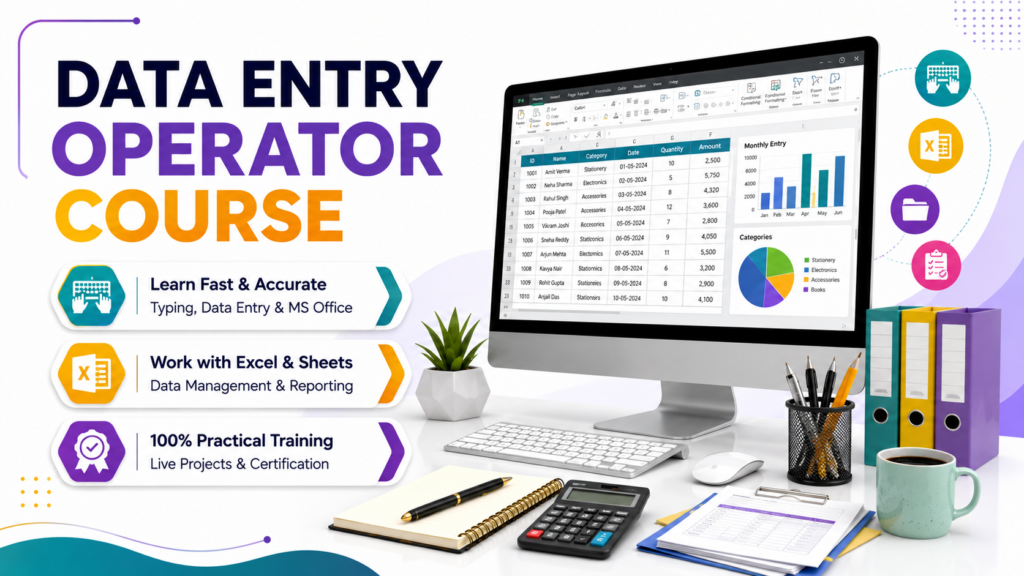
Before joining a course, it is important to check what practical skills are included in the training. A good course should cover typing, MS Word, MS Excel, computer fundamentals, file management, internet usage, and practical data entry exercises.
Regular practice and guidance from experienced trainers can make learning easier, especially for beginners. Instead of focusing only on completing a certificate, students should look for a course that helps them develop skills they can actually use in the workplace.
Conclusion
A Data Entry Operator Course can be a practical starting point for anyone who wants to improve their computer skills and prepare for office-based career opportunities. From typing and document management to MS Word, Excel, and data organization, the skills learned during the course can be useful in many professional environments.
If you are a beginner looking to enter the computer-based job market, learning data entry can give you a strong foundation. With regular practice, accuracy, and continuous improvement, you can turn these basic computer skills into valuable professional skills.